

隨著 Nano Banana、Qwen Image 和 SAM3 等影像處理技術的不斷突破,幾年前還處於行業前沿的 OpenAI 卻相對沉寂,尤其是在產品釋出方面。由於產品平庸乏味,大多數人已經將 OpenAI 排除在人工智慧競賽之外。
然而,浪子回頭了!全新的 ChatGPT Image 來了。這款模型由 OpenAI 最新的旗艦級影像生成模型驅動,號稱效能更勝以往。本文將幫助您瞭解這款影像模型,並將其與同類產品進行對比測試,以檢驗其效能表現。
什麼是GPT Image 1.5?
ChatGPT Image 1.5 是 OpenAI 最新推出的影像生成模型,旨在快速、精準地將想法轉化為影像。無論是根據空白提示進行創作,還是編輯現有照片,該模型都能提供與預期效果高度一致的結果。它支援精確編輯,同時保留精細細節,影像生成速度比以往版本快 4 倍。
該模型在 ChatGPT 中引入了全新的影像體驗,讓影像的建立和最佳化變得輕鬆便捷。
ChatGPT Image-1.5的11個測試提示:影像生成
ChatGPT Image 在影像生成和編輯方面都表現出色。在本節中,我將列出 10 個測試提示,用於測試 ChatGPT Image 的影像輸出:
1. 生成逼真的影像
提示:
Create a detailed Infographic of the functioning and flow of an automatic coffee machine like a Jura.
From bean basket, to grinding, to scale, water tank, boiler, etc.
I’d like to understand technically and visually the flow.
響應: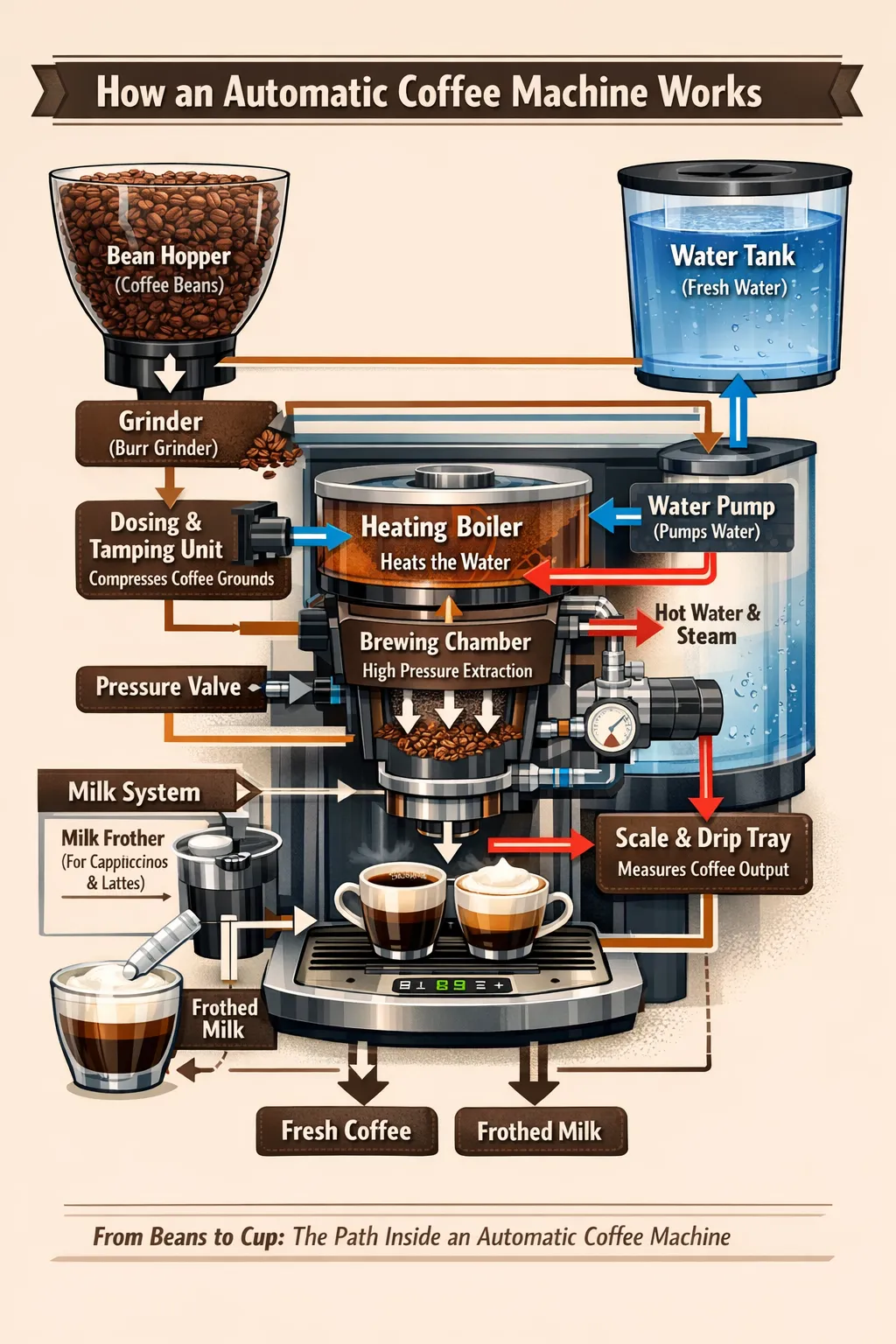
影像模型長期以來一直難以生成清晰易讀的文字。而這個模型不僅做到了這一點,還將其與吸引人的視覺效果完美結合。任何嘗試過使用人工智慧生成影像的人都能看出上述影像與預期影像之間的質量差異。模型的響應也十分準確。
我特意使用了這個提示,因為 OpenAI 的提示手冊中提到過它,目的是為了測試模型在相同提示下的響應。
2. 建立逼真的影像
提示詞:
A photorealistic candid shot of an experienced mechanic taking a break in a cluttered, sunlit garage. He is wiping grease off his hands with a dirty rag, looking exhausted but content. Extreme focus on skin texture: deep facial lines, pores, sweat beads, and grease smudges on his forehead. He wears a faded, oil-stained blue coverall with a name patch coming loose. Shot on 35mm film stock with a 50mm lens at eye level. Natural light streaming through a dusty window, illuminating floating dust particles. Shallow depth of field blurring the vintage car engine in the background. No retouching, raw and authentic.
響應:
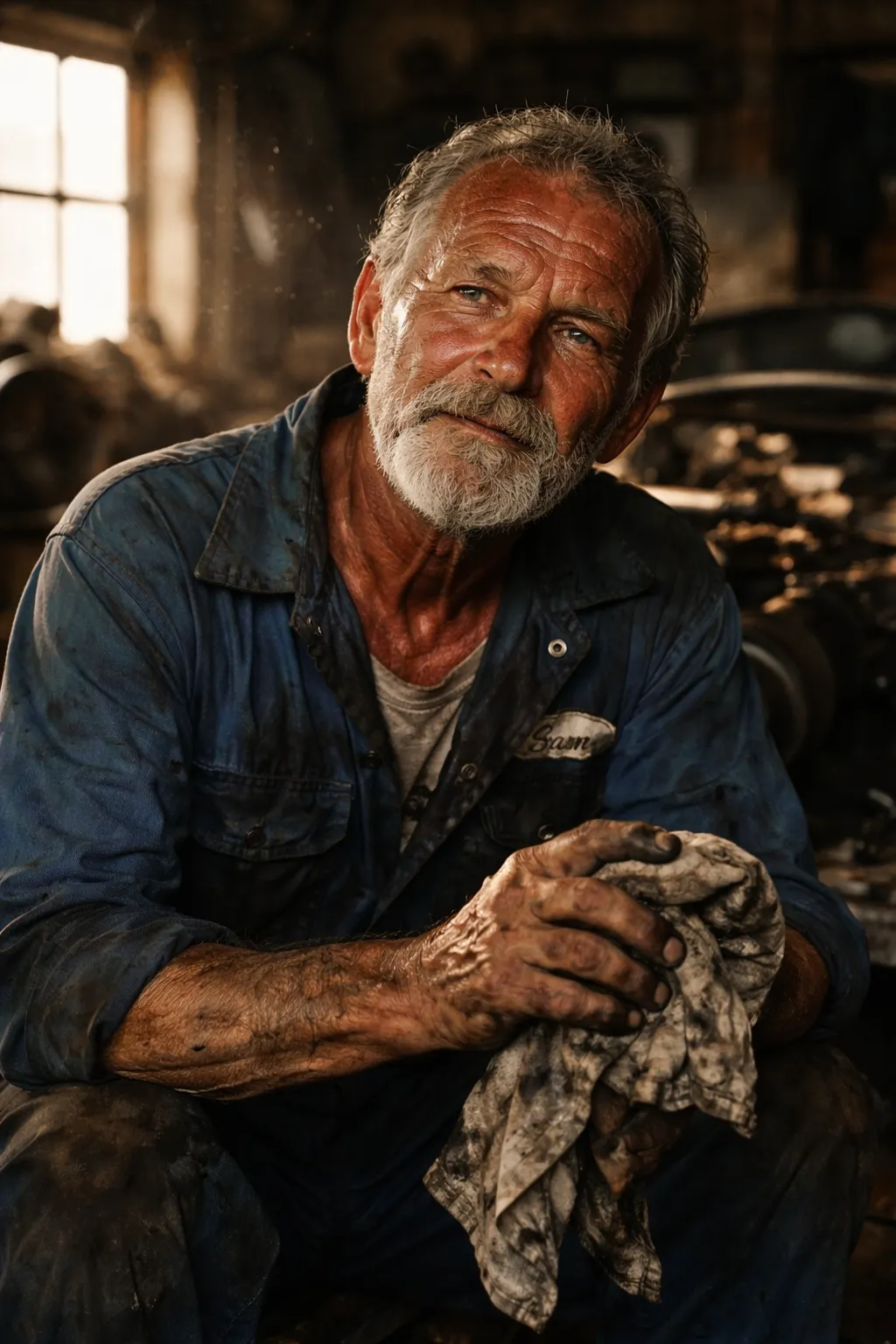
一張逼真的機械師工作照。人物的光線運用使照片寫實主義風格發揮得淋漓盡致。
3. 標誌設計
提示詞:
A minimalist vector logo for a hotel named ‘Bates Motel’. The design features a cute, round, stylized ‘ghost’ or ‘killer spirit’ with simple kawaii anime eyes, holding a butcher knife like a staff. The style is flat, warm, and timeless, reminiscent of a Studio Ghibli mascot but simplified for a corporate logo. Clean lines, negative space, warm beige and earthy brown colors. Plain white or dark background.
響應:
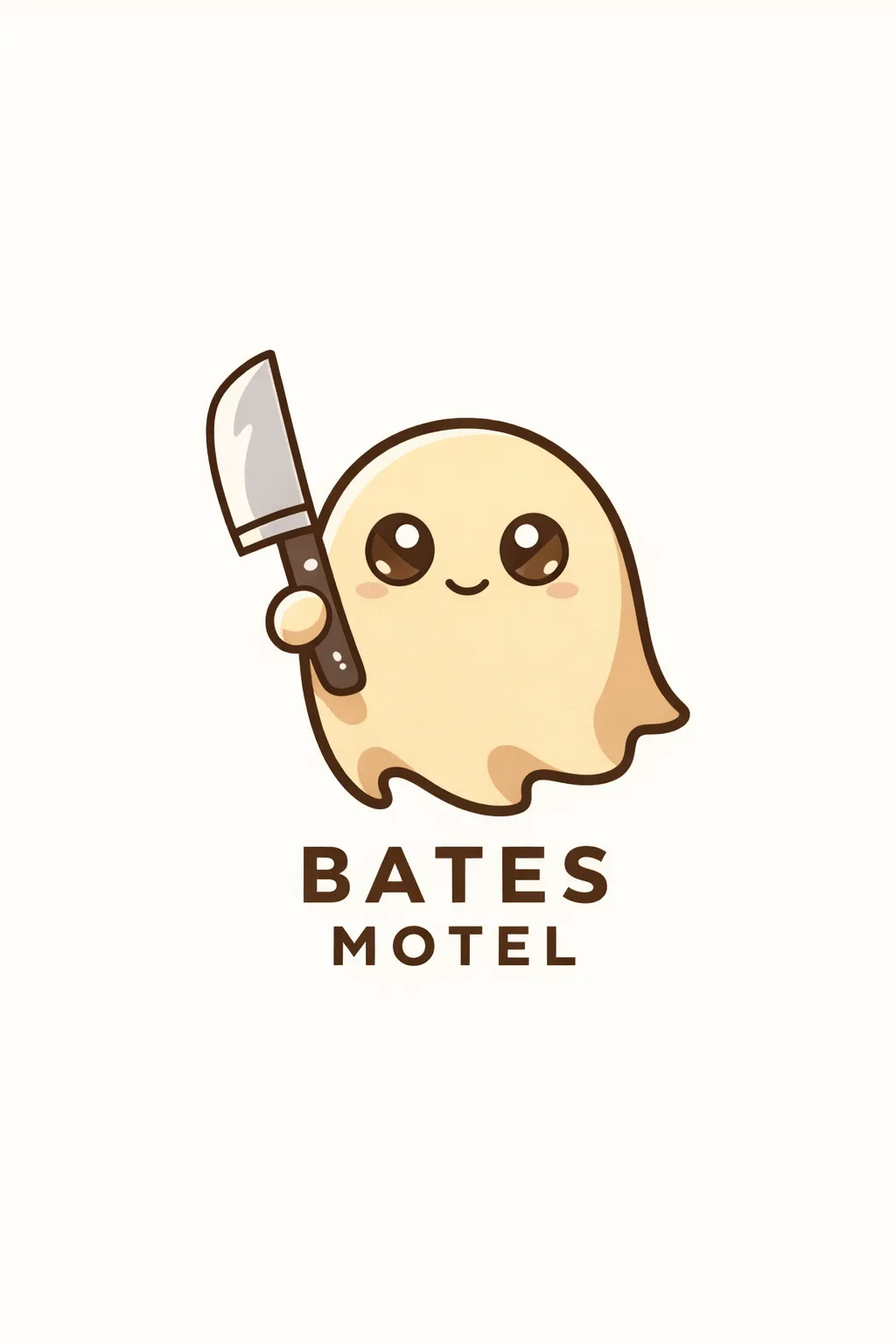
一個標誌,它展現了即使是詭異的概念也可以用友好的方式呈現。
4. 故事改編漫畫
提示詞:
Vertical 4-panel manga comic strip, Death Note art style. Each panel should occupy a quarter of the whole image’s space.Panel 1: Light Yagami in a suit leaves a room looking arrogant while L crouches in the background watching.Panel 2: The door shuts. Close-up on L’s face, intense and calculating, holding a white sugar cube.Panel 3: L crouches on a desk in a messy room surrounded by of sweets and documents, working furiously.Panel 4: The door opens and Light Yagami stands looking shocked and defeated. L is sitting calmly holding up the Death Note book, smiling with victory. High contrast, black and white manga shading.
響應:
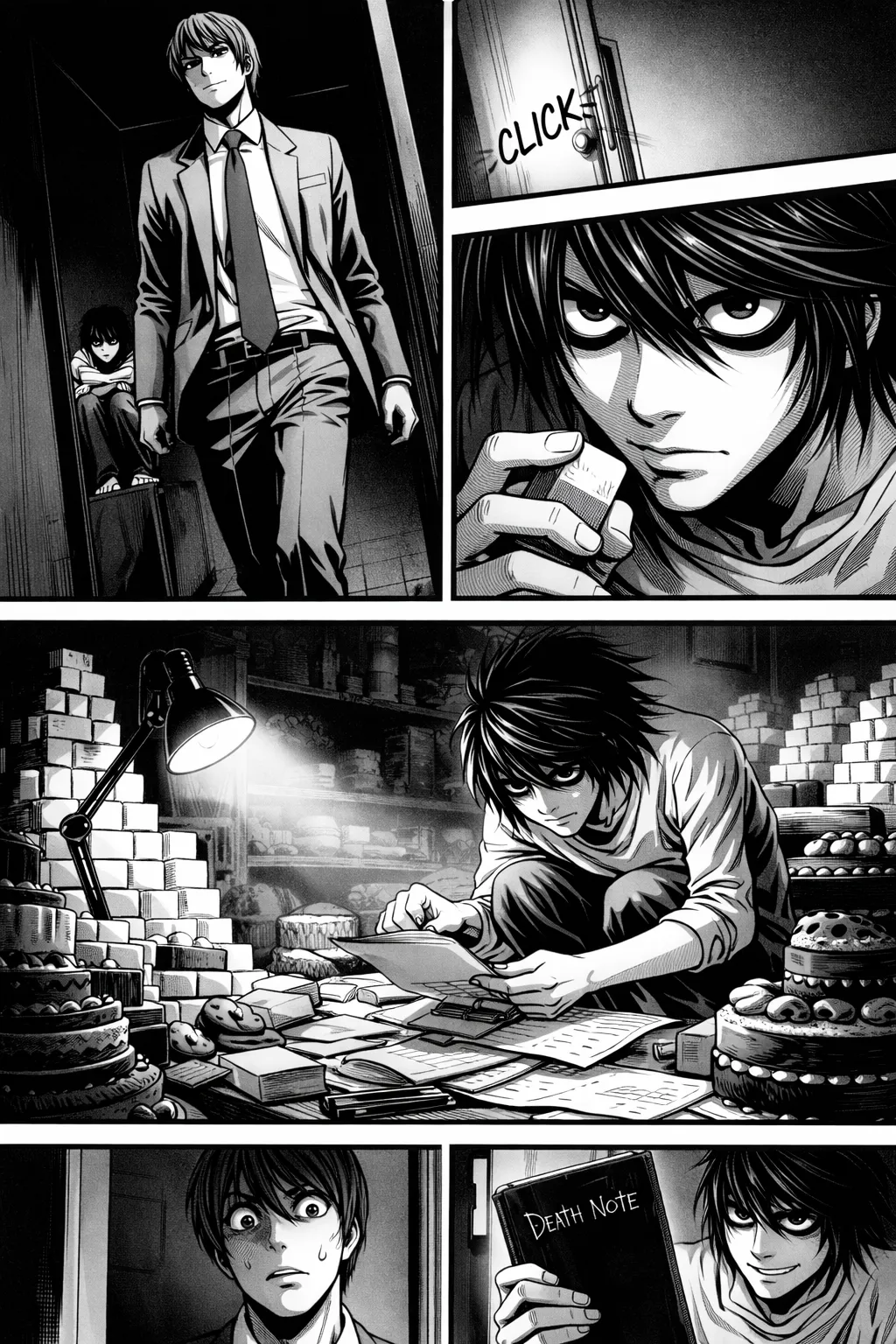
這幅漫畫看起來像是漫畫的最新章節。模型成功地建立了一個逼真的漫畫頁面。
5. UI模型
提示詞:
A high-fidelity, photorealistic UI mockup of a modern Farmers Market mobile app displayed on an iPhone 15 frame.
The interface is clean and airy with a white background and subtle sage green accents.
Top section: A header saying ‘Riverside Market’ with ‘Open Until 2 PM’ status.Middle section: A ‘Today’s Specials’ carousel featuring vibrant, high-res photos of heirloom tomatoes and fresh sourdough bread. Lower section: A well-organized list of vendors with rounded square profile photos and category tags like ‘Organic’ and ‘Bakery’. Bottom: A minimalist navigation bar.
The design is practical and beautiful, featuring crisp sans-serif typography, soft shadows, and a polished Dribbble-style aesthetic.
響應:

這項技術的最佳應用之一。開發者可以透過建立原型來快速瞭解產品,從而獲得直觀的視覺輔助。
6. 繪圖 -> 影像
提示詞:
Turn this drawing into a photorealistic image. Preserve the exact layout, proportions, and perspective. Choose realistic materials and lighting consistent with the sketch intent. Do not add new elements or text.
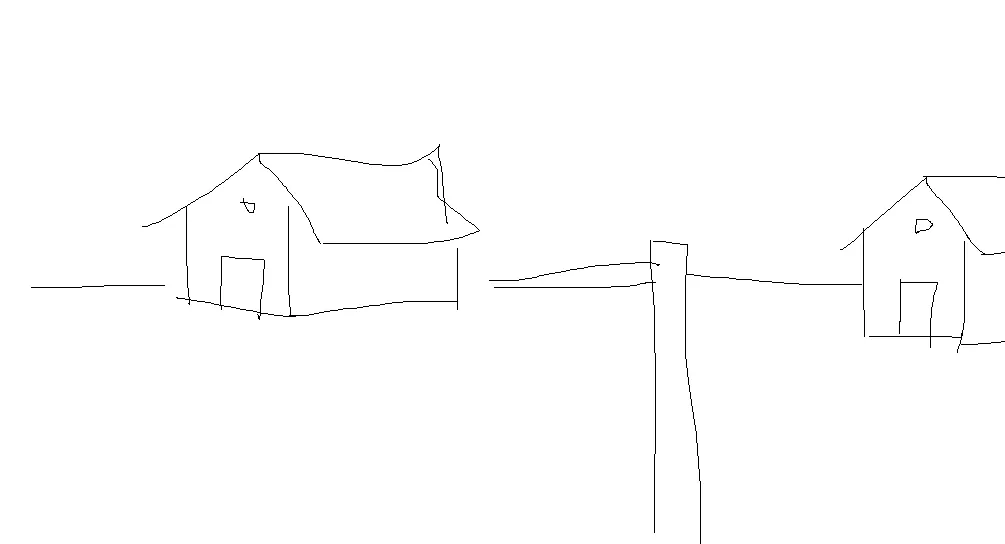
響應:
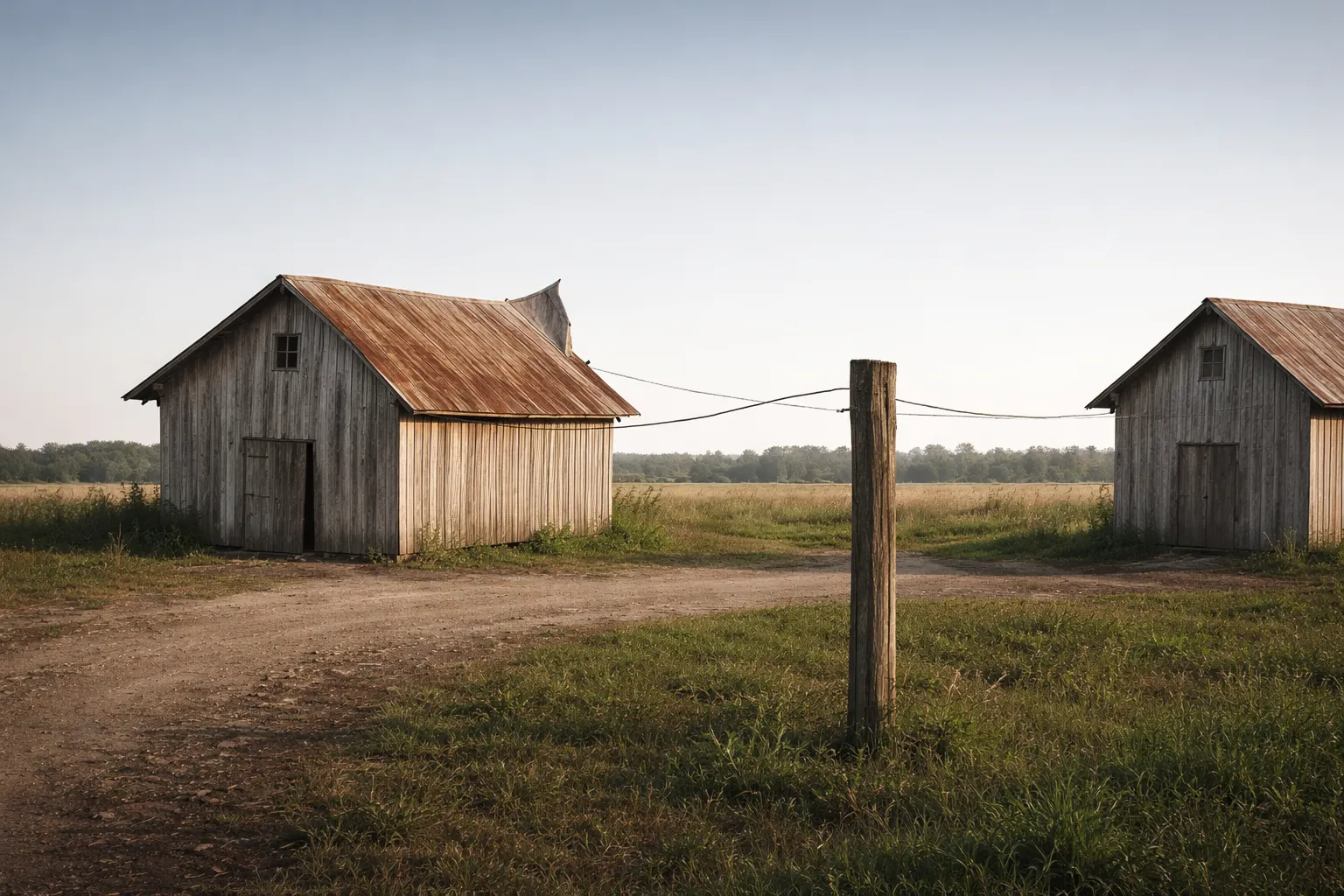
這或許就是根據我這幅畫作能做出的最佳效果了。
7. 虛擬試穿
提示詞:


Edit the image to dress the woman using the provided clothing images. Do not change her face, facial features, skin tone, body shape, pose, or identity in any way. Preserve her exact likeness, expression, hairstyle, and proportions. Replace only the clothing, fitting the garments naturally to her existing pose and body geometry with realistic fabric behavior. Match lighting, shadows, and color temperature to the original photo so the outfit integrates photorealistically, without looking pasted on. Do not change the background, camera angle, framing, or image quality, and do not add accessories, text, logos, or watermarks.
響應:
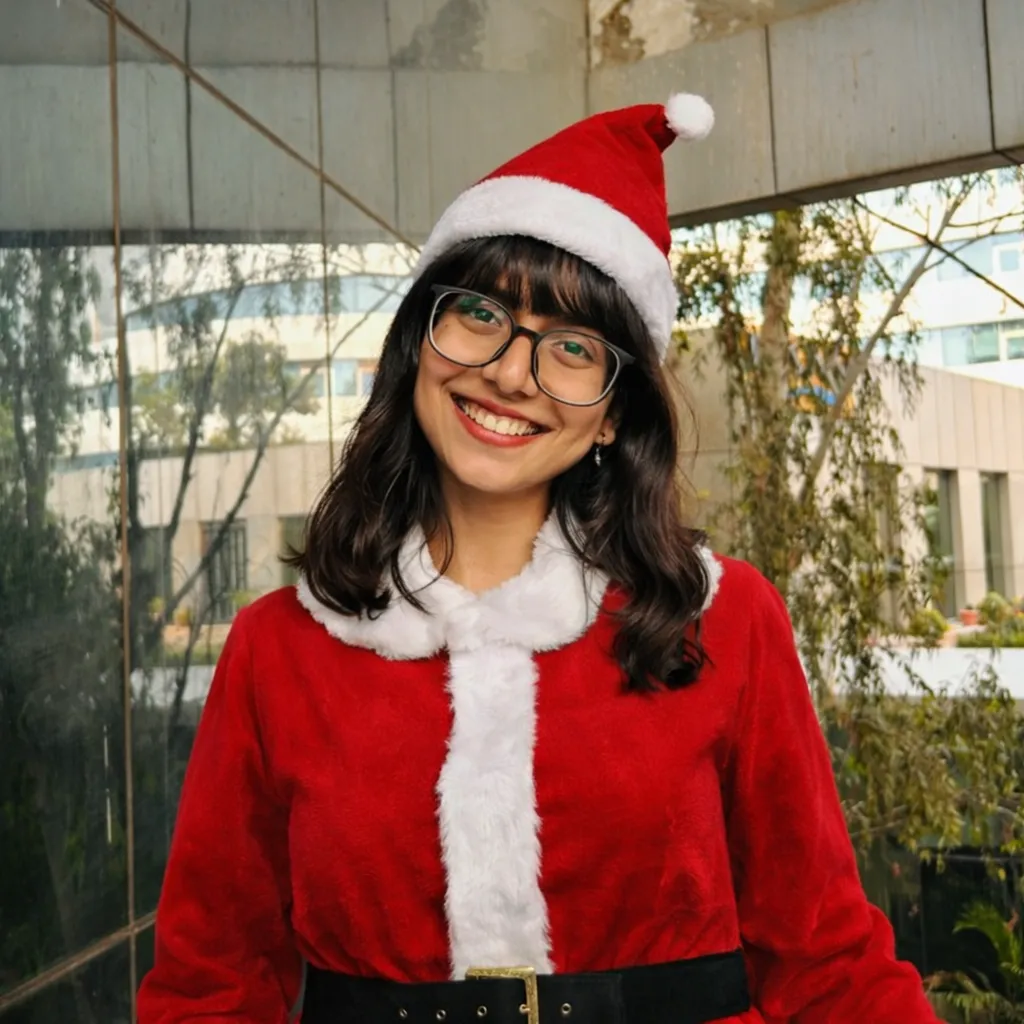
一幅歡樂的畫面,衣服的更換天衣無縫。
8. 3D毛絨玩具製作
我將使用與上一個例子相同的輸入影像(人物)。
提示詞:
Transform the subject or image into an adorable plushie-style form with soft textures and rounded proportions. If a person is present, preserve recognizable traits; otherwise, reinterpret the object or animal as a cozy stuffed toy using felt or fleece textures. Give it a cozy felt or fleece texture, simplified shapes, and gentle embroidered details for the eyes, mouth, and features. Use a warm, pastel or neutral color palette with smooth shading and subtle seams, like a handcrafted stuffed toy. Keep the expression friendly and cute, with a slightly oversized head, short limbs, and a cuddly silhouette.The final image should feel like a charming, collectible plush toy cozy, wholesome, and huggable, while still recognizable as the original subject.
響應:
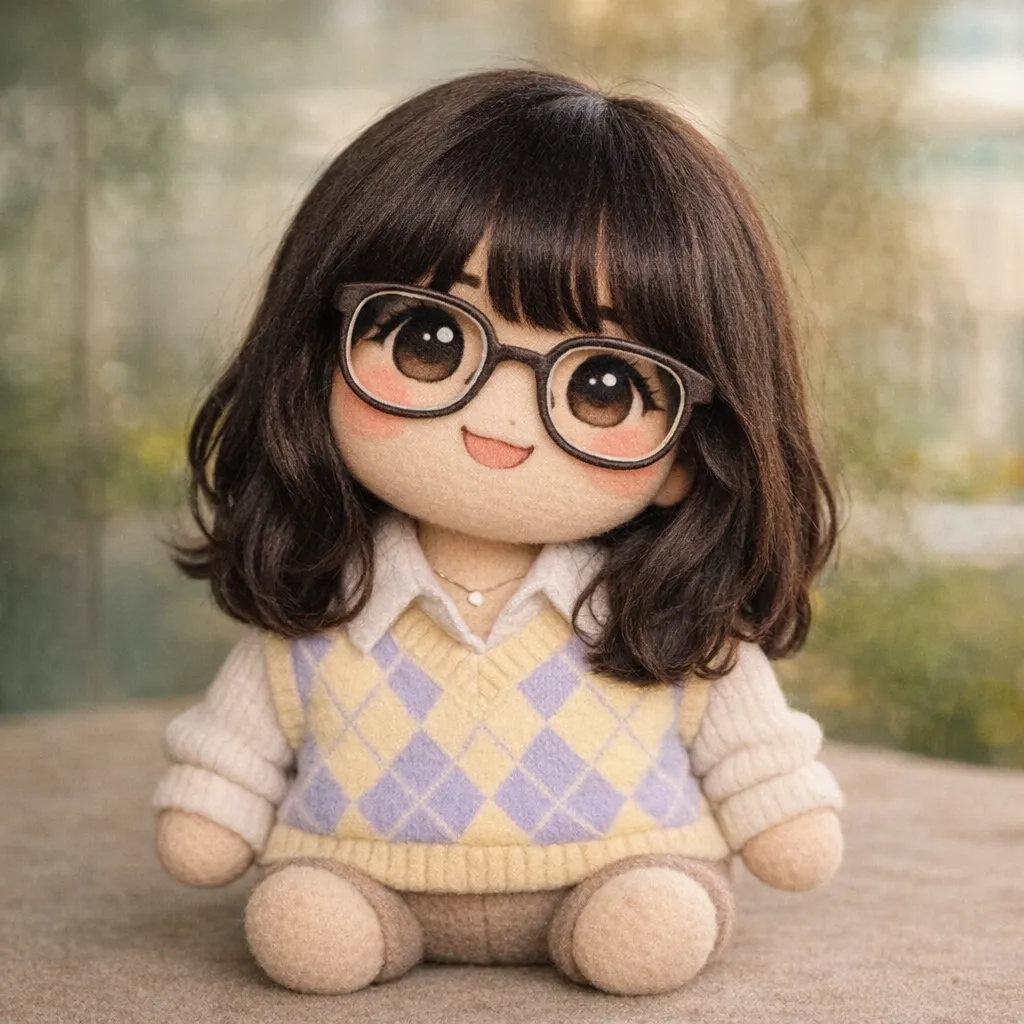
這款毛絨玩具模仿了輸入影像的主題,保留了其原有特徵,同時又使其變得毛茸茸的!
9. 3D立體節日賀卡
提示:
A premium Christmas holiday card illustration featuring a close-up of a vintage, cute teddy bear right next to a Christmas tree. In the background, out of focus, is a ground of people celebrating. The lighting is soft and cinematic with a shallow depth of field to highlight the texture of the ornament. The mood is warm, nostalgic, and emotional. The image must include the text “Merry Christmas — may your days be merry and bright” written in an elegant, gold serif font. Photorealistic, 8k resolution, high print-quality composition.
響應:
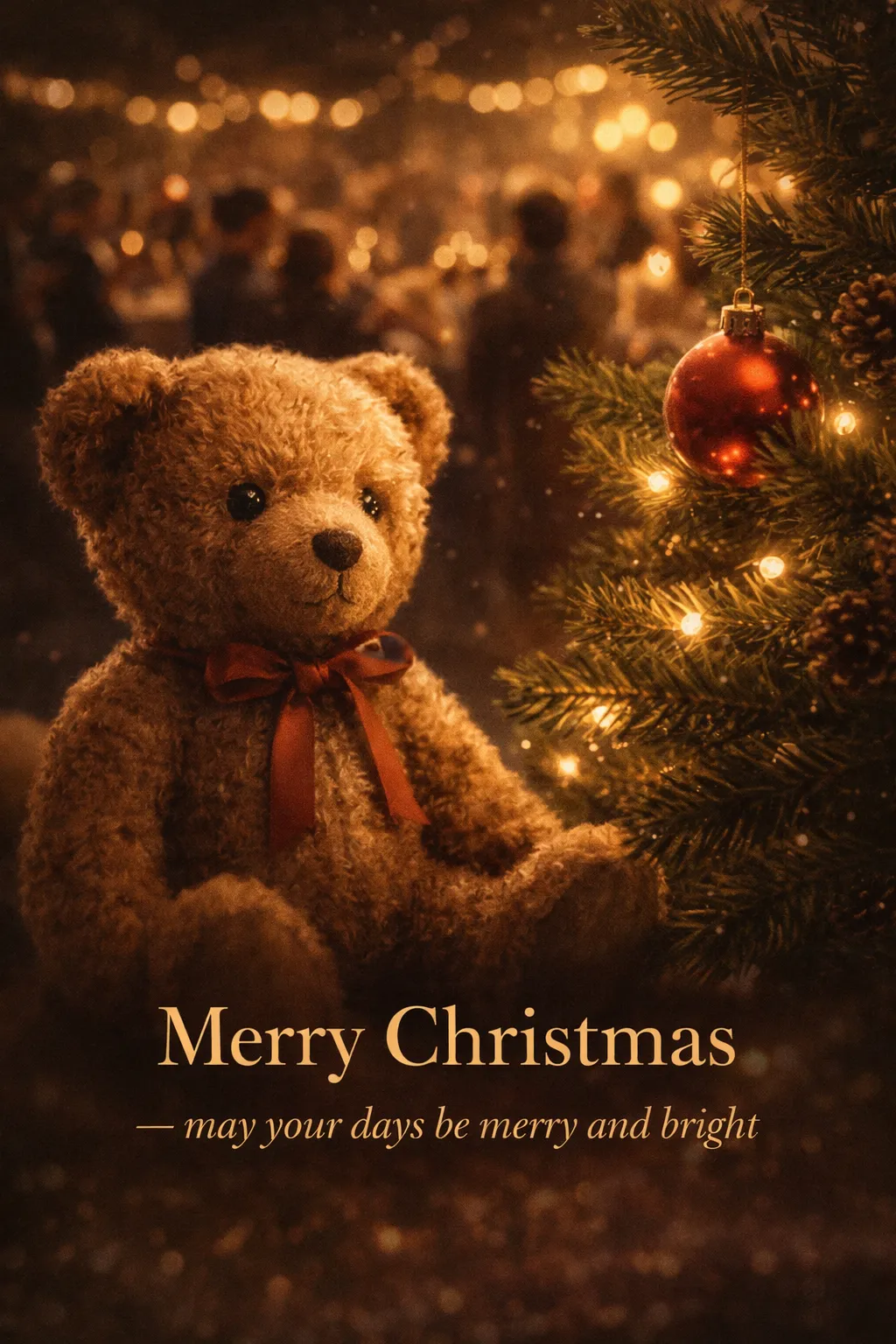
這可以寄給我們的親戚。模特對需求的理解非常透徹。
10. 世界知識
提示詞:
Create a realistic outdoor crowd scene at the Brandenburg Gate in Berlin on the night of November 9, 1989. Photorealistic, period-accurate clothing, staging, and environment.
響應:
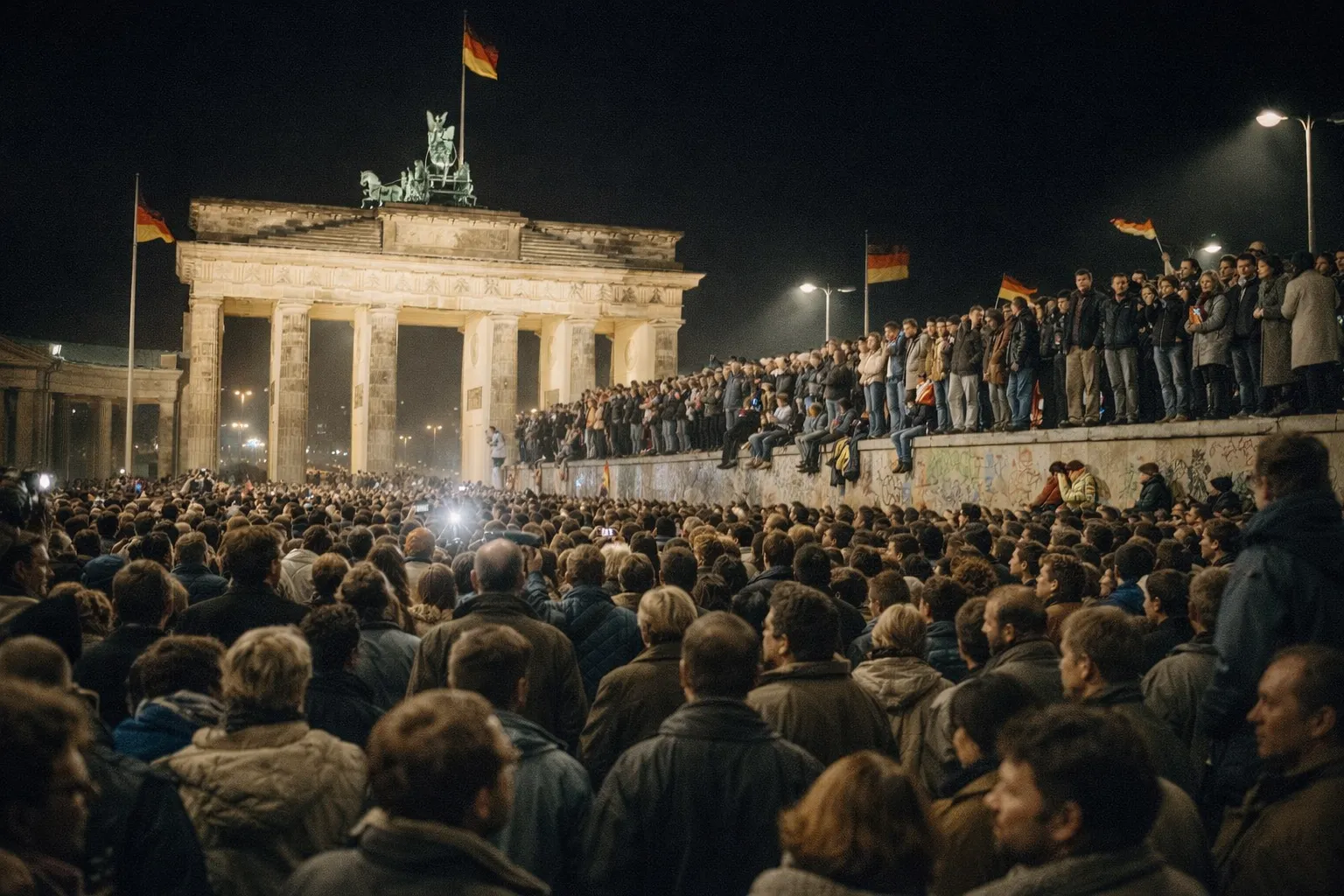
這個日期意義非凡,因為它標誌著柏林牆的倒塌。該模型不僅能夠識別這一點,還能生成一幅捕捉民眾情感的影像。
小結
該模型絕不會限制您的創造力。您可以將這些提示作為基礎,建立更完善的提示,專門針對您的工作量進行定製。憑藉快速的響應時間和麵向所有使用者的可用性,OpenAI 最新發布的影像模型的發展方向顯而易見。您可以嘗試不同的提示,找到最適合您的方案。
常見問題解答
問 1:什麼是 ChatGPT Image 1.5?它與之前的版本有何不同?
答:ChatGPT Image 1.5 是 OpenAI 最新的影像生成模型,旨在實現更快的輸出、更清晰的細節和更精確的編輯。它的影像生成速度提升高達四倍,同時保持了良好的視覺精度。
問題 2:ChatGPT Image 1.5 最擅長哪些型別的任務?
答:它在生成逼真的影像、照片級場景、UI模型、漫畫、繪圖轉影像以及進行精確的影像編輯(例如虛擬試穿)方面表現出色,同時還能保持佈局、光照和細節的準確性。
問3:ChatGPT Image 1.5 適合普通使用者還是僅供專業人士使用?
答:它面向所有使用者開放,並專為快速迭代而設計,因此對於希望獲得高質量影像而無需複雜工作流程的設計師、開發人員、營銷人員和業餘創作者來說都非常實用。



評論留言